
Wombat: a word processor whose pages a typesetter would sign.
Wombat writes Typst, which breaks lines by looking at the whole paragraph, hyphenates in your language, keeps footnotes at the foot of their page and draws formulas that look like formulas. Use it for a paper, a book, a recipe or a novel.
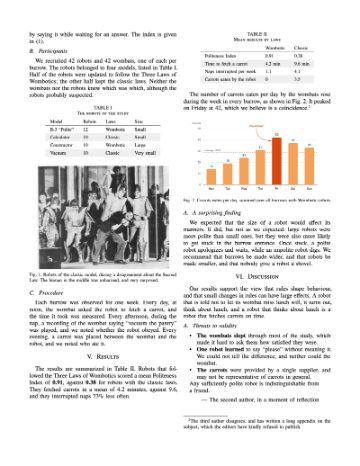
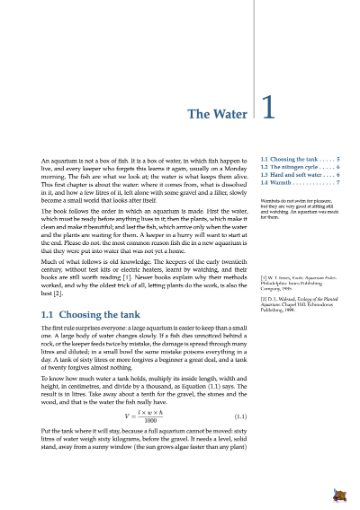

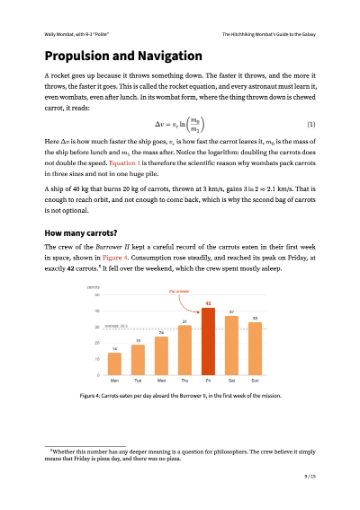
 See a page of every template →
Change the layout with one click.
A figure in the column, in the margin beside the text, or wide across both: one button of the Toolbar, and the page sets itself again around it. Its number, its caption and every reference to it follow.
A word processor that knows what a chapter is.
Every document has an outline. Drag a section to another place: its number, its references and the contents follow. Every figure, table and note is there too.
Watch the numbers follow →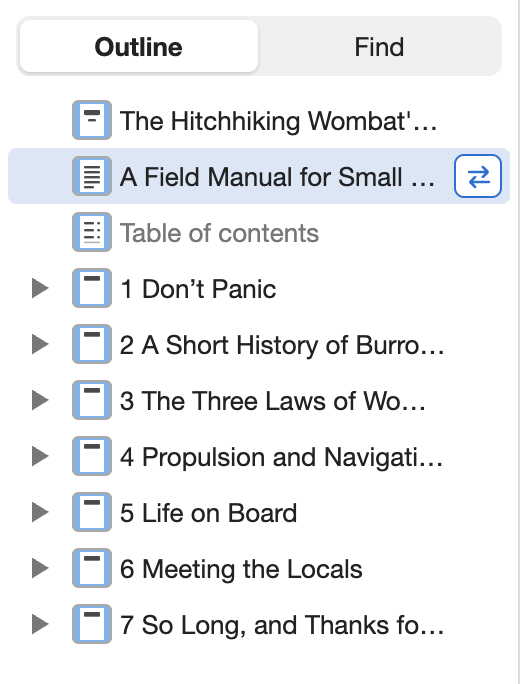
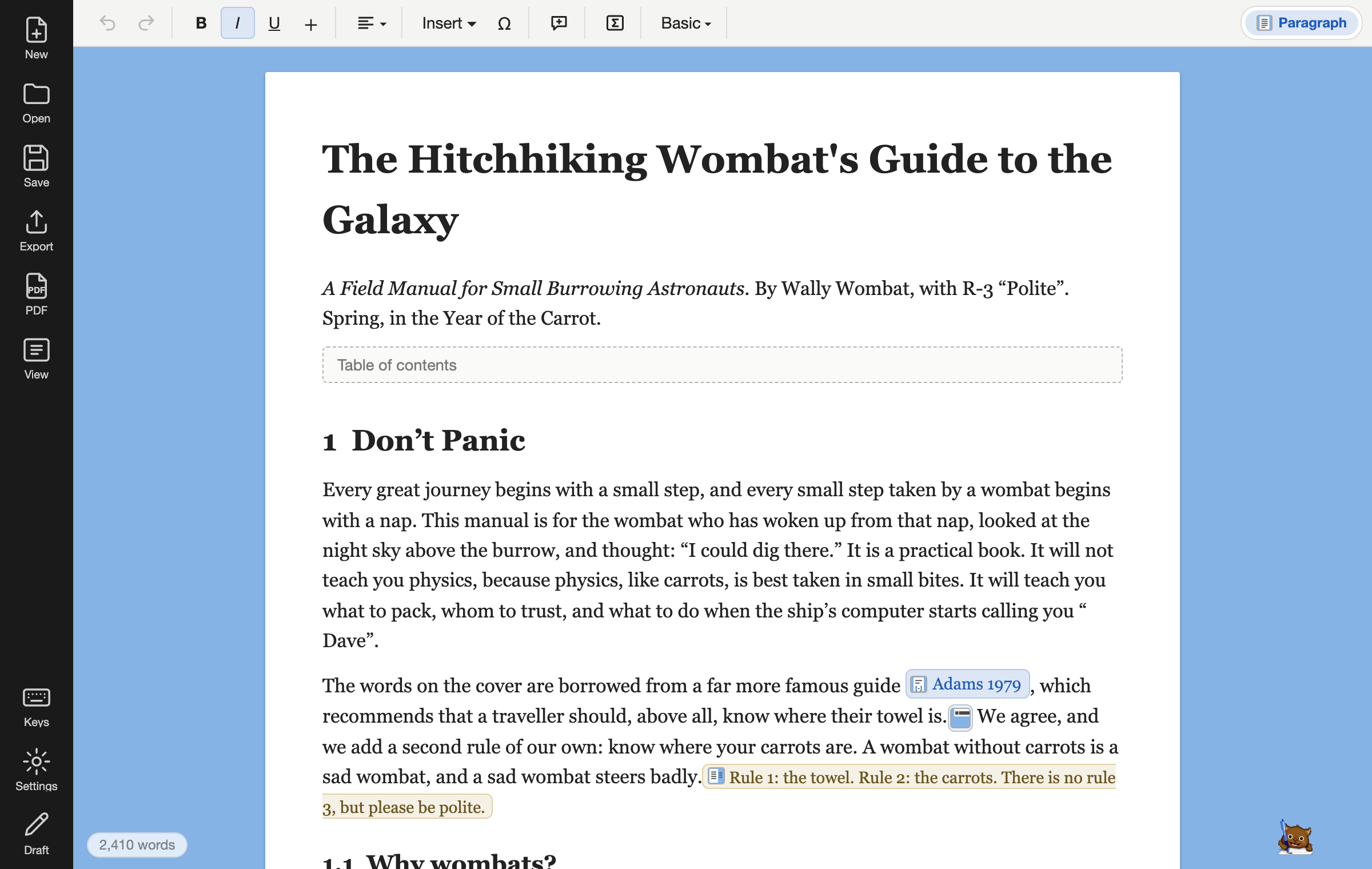
Nothing between you and the page.
Wombat has no ribbon, no rulers and no boxes to drag around. You get a page on a desk, a Toolbar that shows only what applies where the cursor is, and the Outline when you want it. The Focus view hides the Outline too.
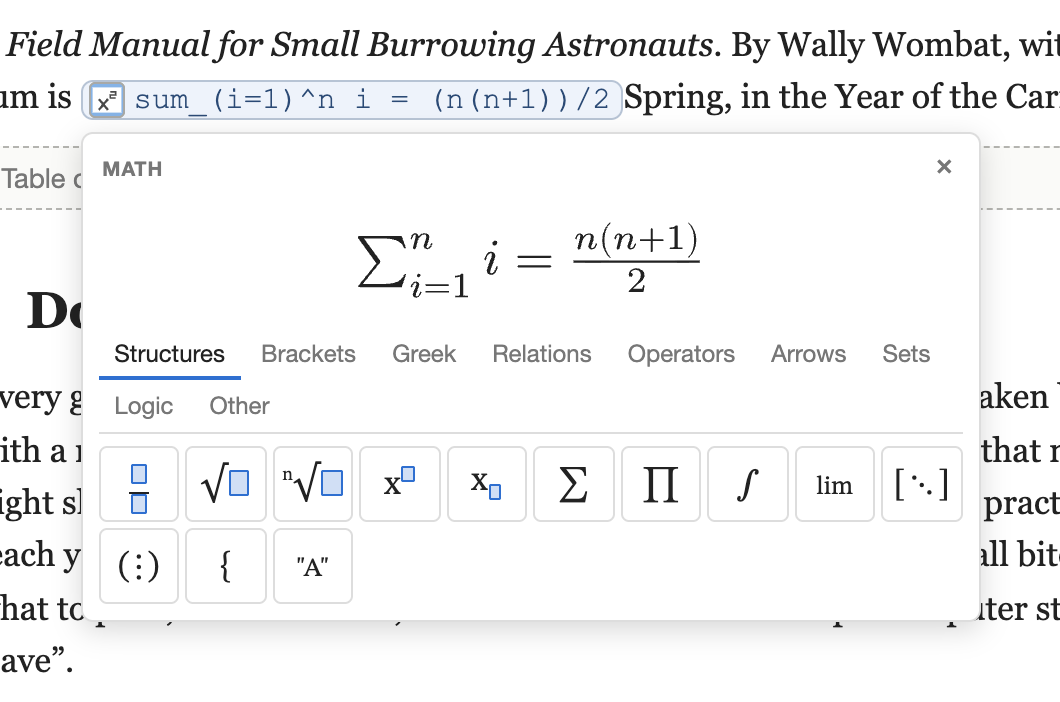
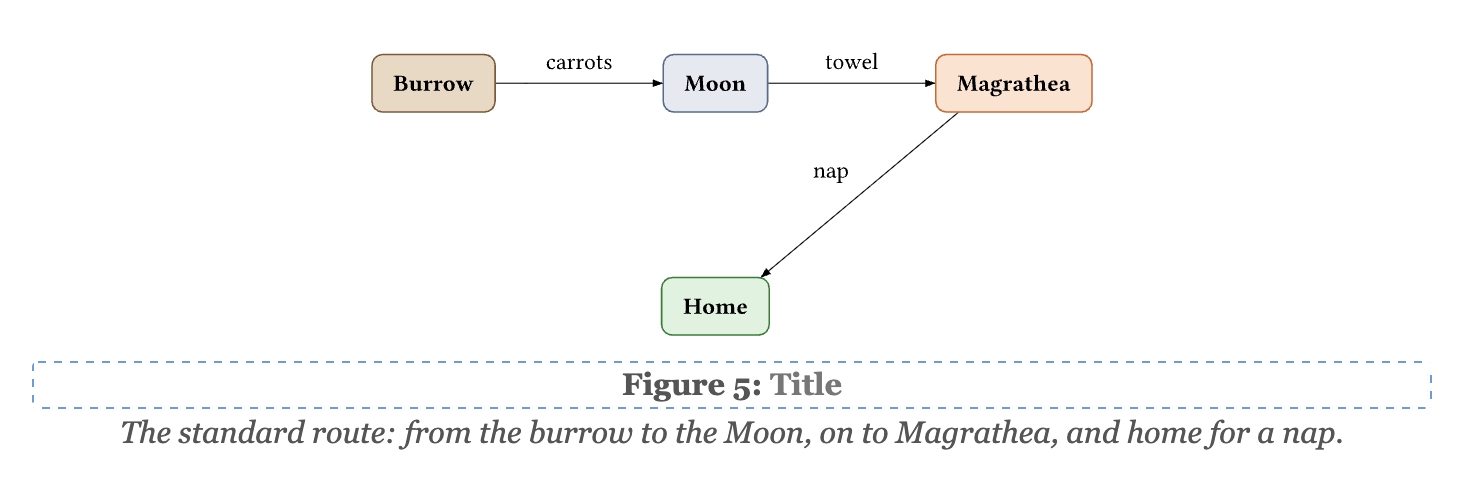
Formulas, diagrams and code, from text.
Type a formula as you would say it and see it drawn; describe a diagram and it is laid out; paste code and it stays code.
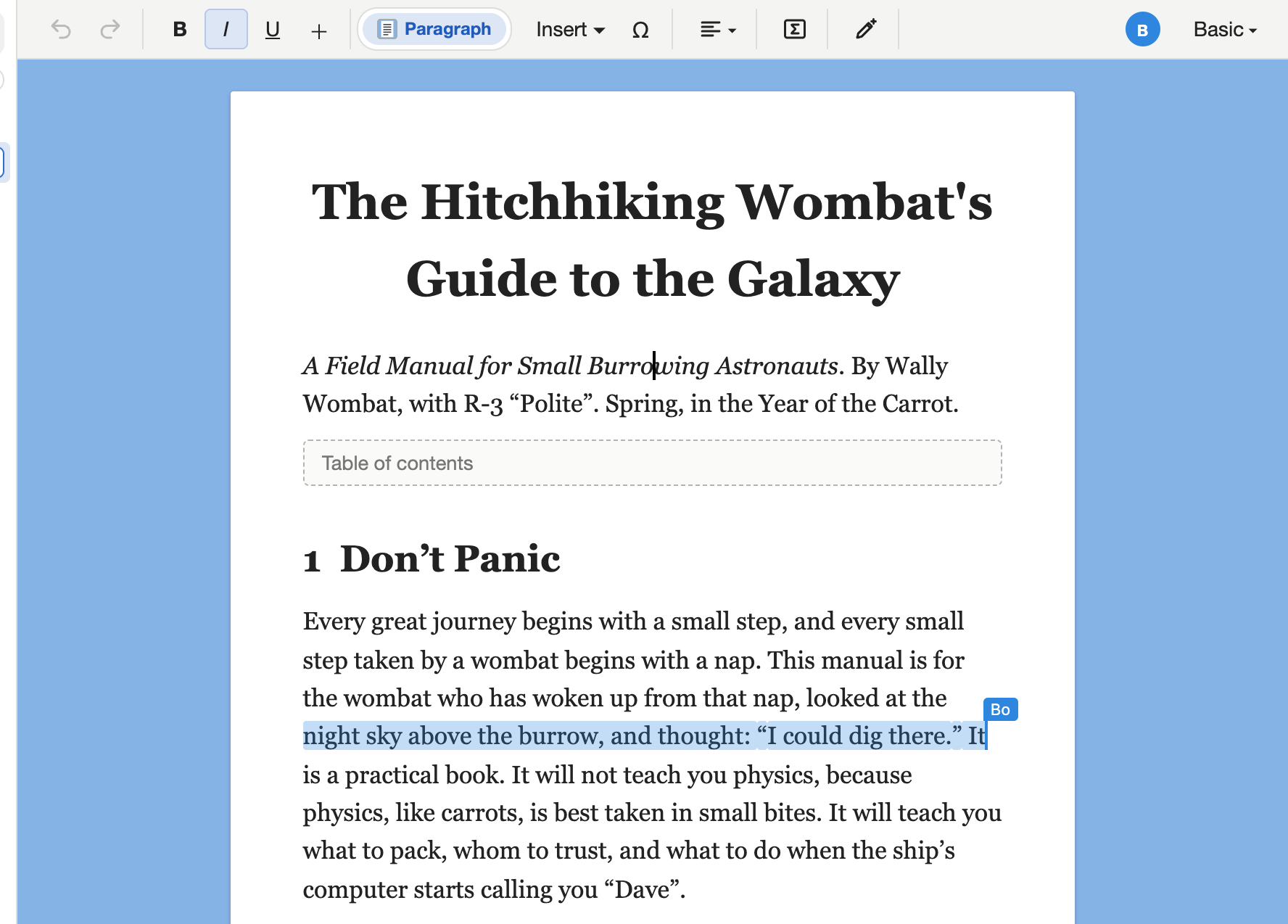
Write together. Keep every version.
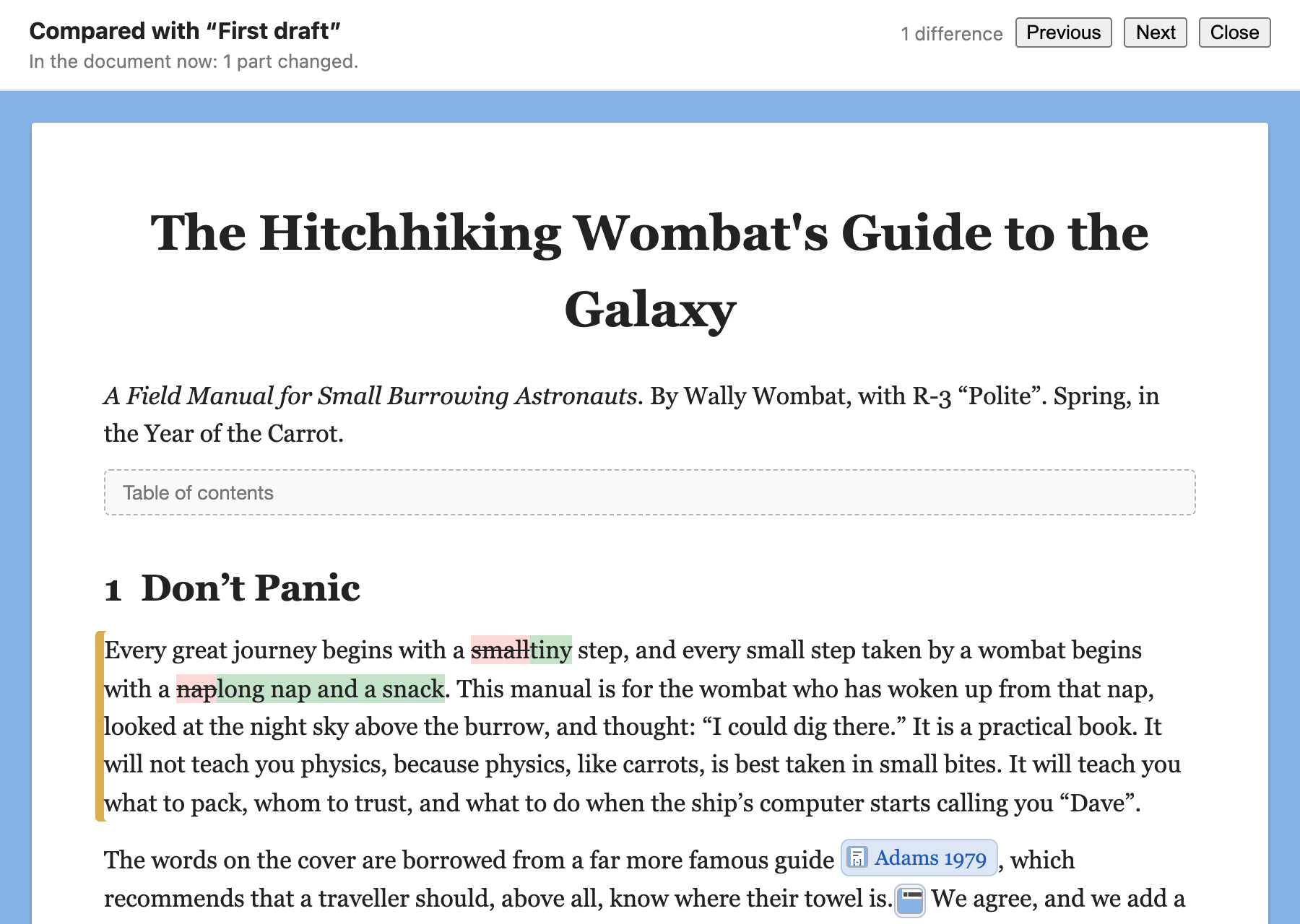
Share a link, and whoever opens it writes in your document with you, live, each seeing the others’ cursors: no accounts, encrypted in the browser. Before a big change, take a snapshot; later, compare, and see what was added, taken away, changed or moved, marked on the page.
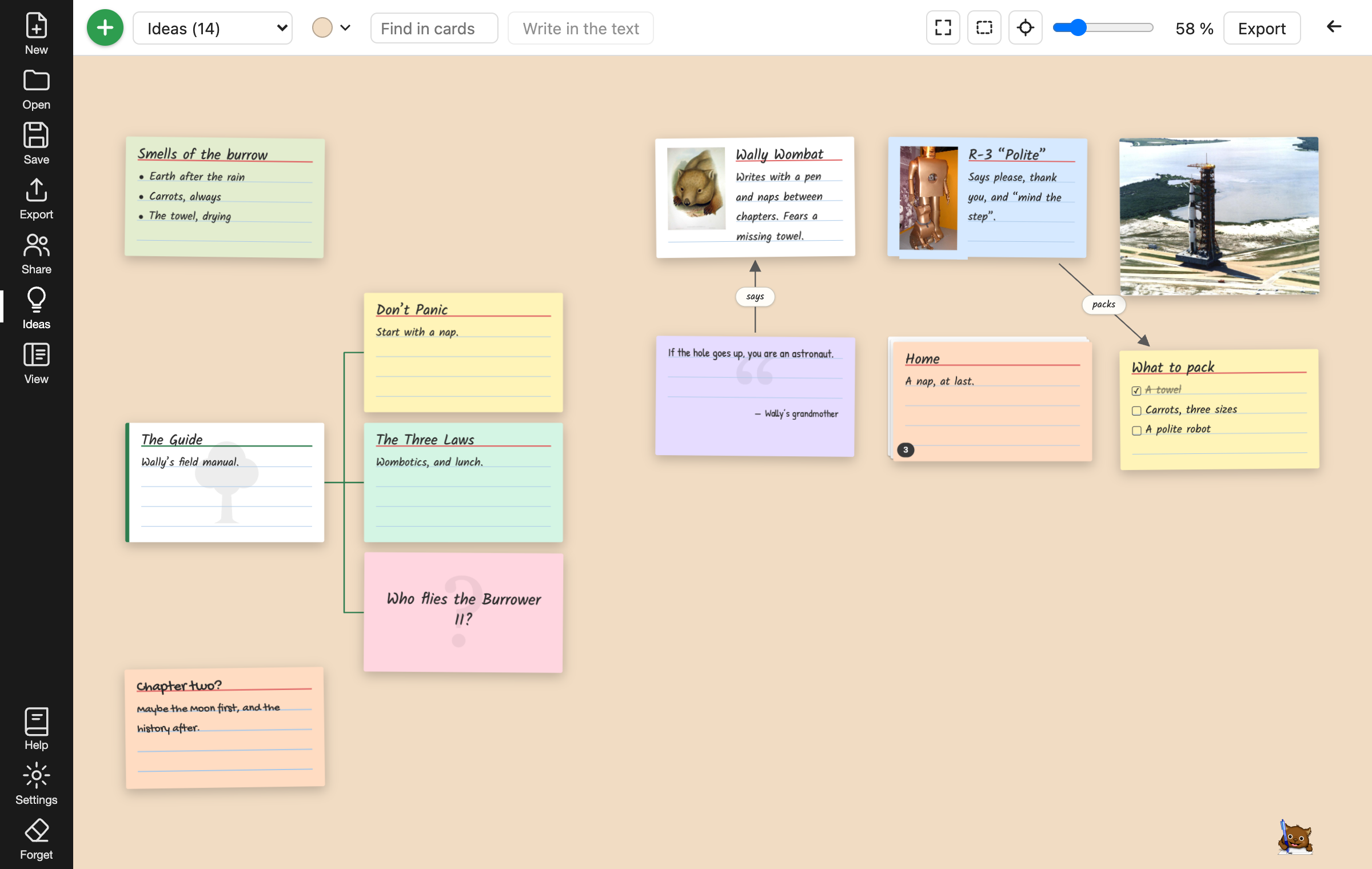
Before the text, the ideas.
Lay your ideas on index cards, on a table without edges: notes, lists, questions, quotes, characters, pictures. Stack them, draw arrows between them, hang them in a tree, and write a tree into your document, as its sections, in one click. The cards are saved inside the document, and shared when you write together.
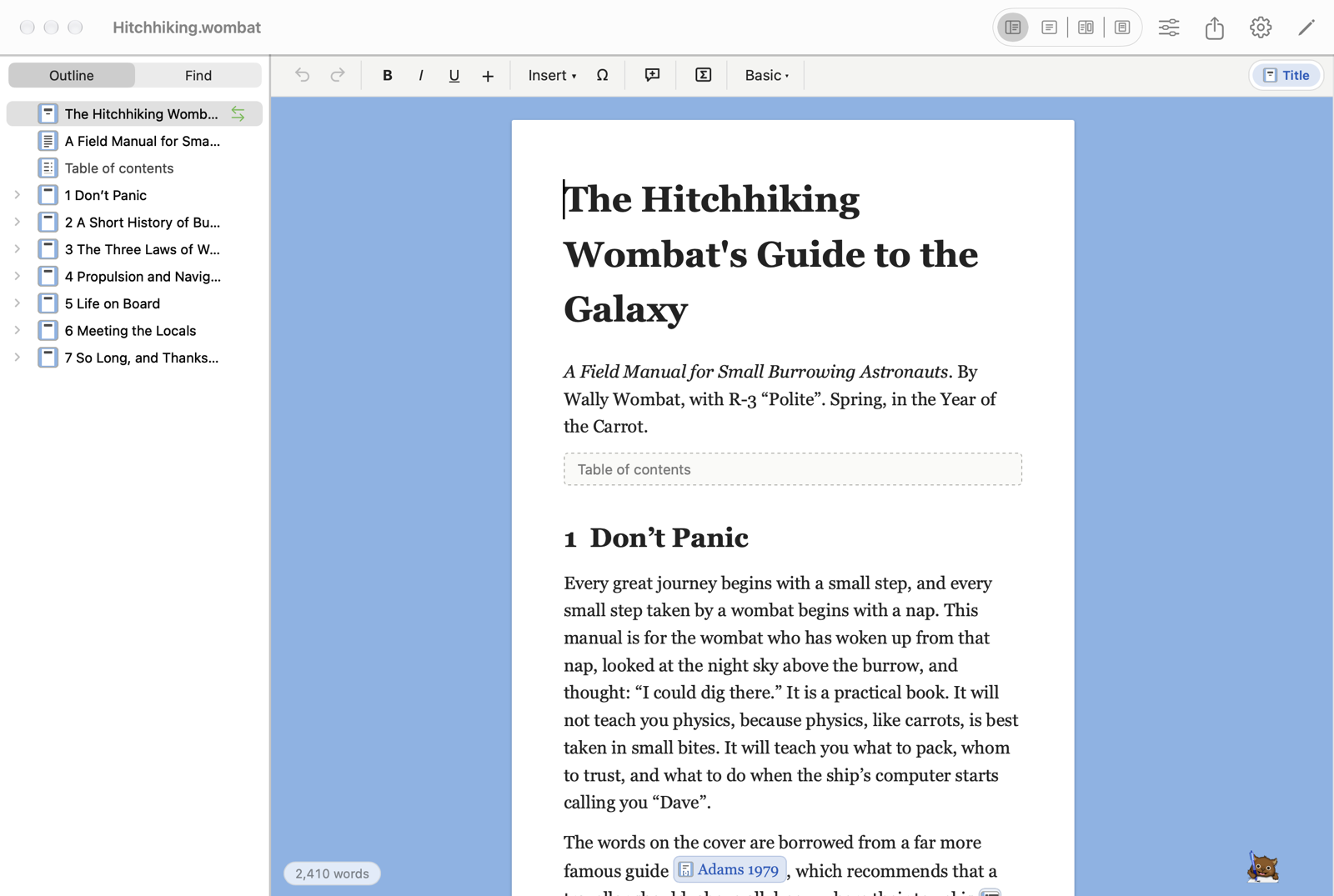
On a Mac, a Mac app.
Take a photo with your iPhone and it is a figure; scan a printed page and Wombat reads its paragraphs, lists and tables into your document. Your files are in the Finder, where Spotlight finds them, and Typst is inside the app, so it needs no internet. Download it below.
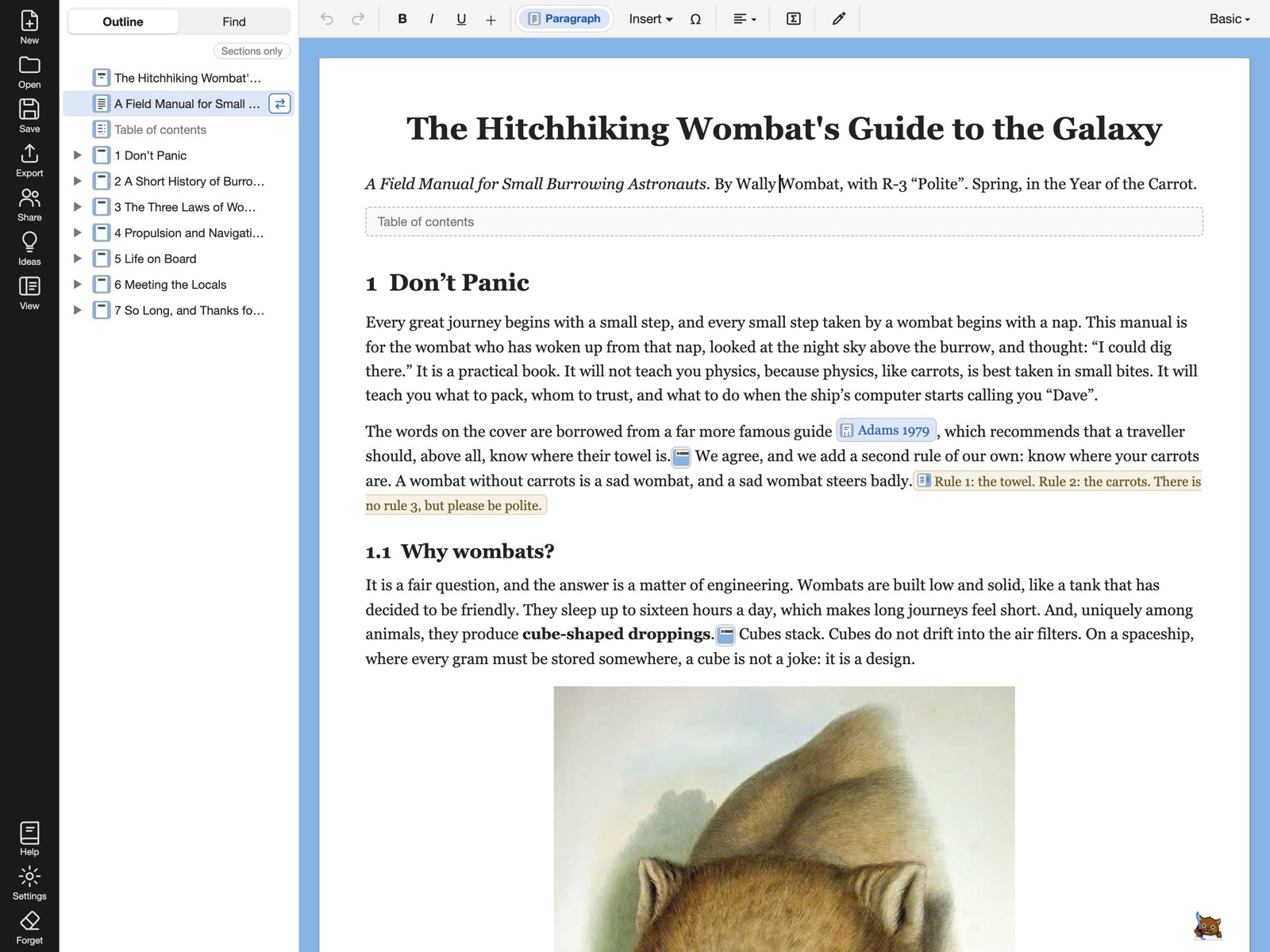
On an iPad, an iPad app.
This is the same editor, with the on-screen keyboard or an attached one. Your documents are files in iCloud Drive, which open from Files and save themselves as you write. Typst is inside the app, so it needs no internet. One purchase covers the Mac and the iPad. Get it below.
Word is for koalas.
Koalas have won no Nobel prize, and Word is for them. Wombat has numbers that count themselves, references that stay true and a page set by a typesetter, and it still opens a .docx and sends one back.
- 0 Nobel prizes
- 0 Fields medals
- 0 theses defended
- 0 papers accepted
- 1 thing eaten
What a structured word processor is
In a word processor like Word, you shape the page by hand: you pick a size for a heading, you type its number, you drag a picture until it looks right, and you do it again when the text moves. In Wombat you write the meaning instead: this is a section, this is a figure with its caption, this is a footnote, this is a citation.
The template decides how each looks, and the numbers, the references, the table of contents and the bibliography are written for you and kept true as the document changes.
The idea comes from LyX, which put LaTeX behind a word processor’s window. Wombat does the same with Typst, so the page is set while you write, in the browser, with nothing to install.
Typst sets the page. It is the modern successor of LaTeX, with the same care over hyphenation, footnotes, formulas and references, a language a person can read, and a PDF in a second instead of a minute. Wombat writes the Typst for you, and gives you the source if you want it. You get the quality of LaTeX without learning LaTeX, and a Word file for whoever asks for one.
Download the app
- Mac Apple silicon onlyApp Store $3.99 · €4.99
- iPad iPadOS 18 or laterApp Store with the Mac
- Linux.debAppImage
- Linux on ARM.debAppImage
- Download the manual PDF
Version 0.1.3. The same editor, on your computer or your iPad, without the internet. The Mac app runs on Apple silicon only (M1 and later); the iPad app needs iPadOS 18 or later.
Nothing to install, no account, and your document stays on your computer.
Wombat is free in your browser, with no ads and no account. The apps for the Mac and the iPad are paid, on the App Store. If it saved you an evening with Word, you can buy us a coffee.
Everything Wombat does, in 133 sentences.