 Wombat
← The site
Open the editor
Wombat
← The site
Open the editor
Word is for koalas.
Let us be fair to the koala. It sleeps twenty hours a day, it eats one thing, and it has the smoothest brain of any mammal its size, which saves it a lot of worry. Its record, so far:
- 0 Nobel prizes
- 0 Fields medals
- 0 Pulitzers
- 0 Booker prizes
- 0 theses defended
- 0 papers accepted
- 1 thing eaten
A koala does not need a word processor that knows what a chapter is, because a koala will never write a chapter. It needs a big friendly page where it can press the space bar until the words line up, and a bold button. It needs Word.
You are not a koala. Here is what you get instead.
You write faster, because you only write.
The koala’s way
Write a sentence. Make the heading bold. Make it a bit bigger. Add a blank line, then another, then take one out. Nudge the picture. Check that the numbers still match. Write the next sentence, eventually.
The wombat’s way
Write a sentence. Write the next one. Say what each thing is, a section, a figure, a note, and never touch the layout: the template keeps it, and the page is always right. Hours of fiddling go back into the words, and a short Toolbar shows only what applies where you are.
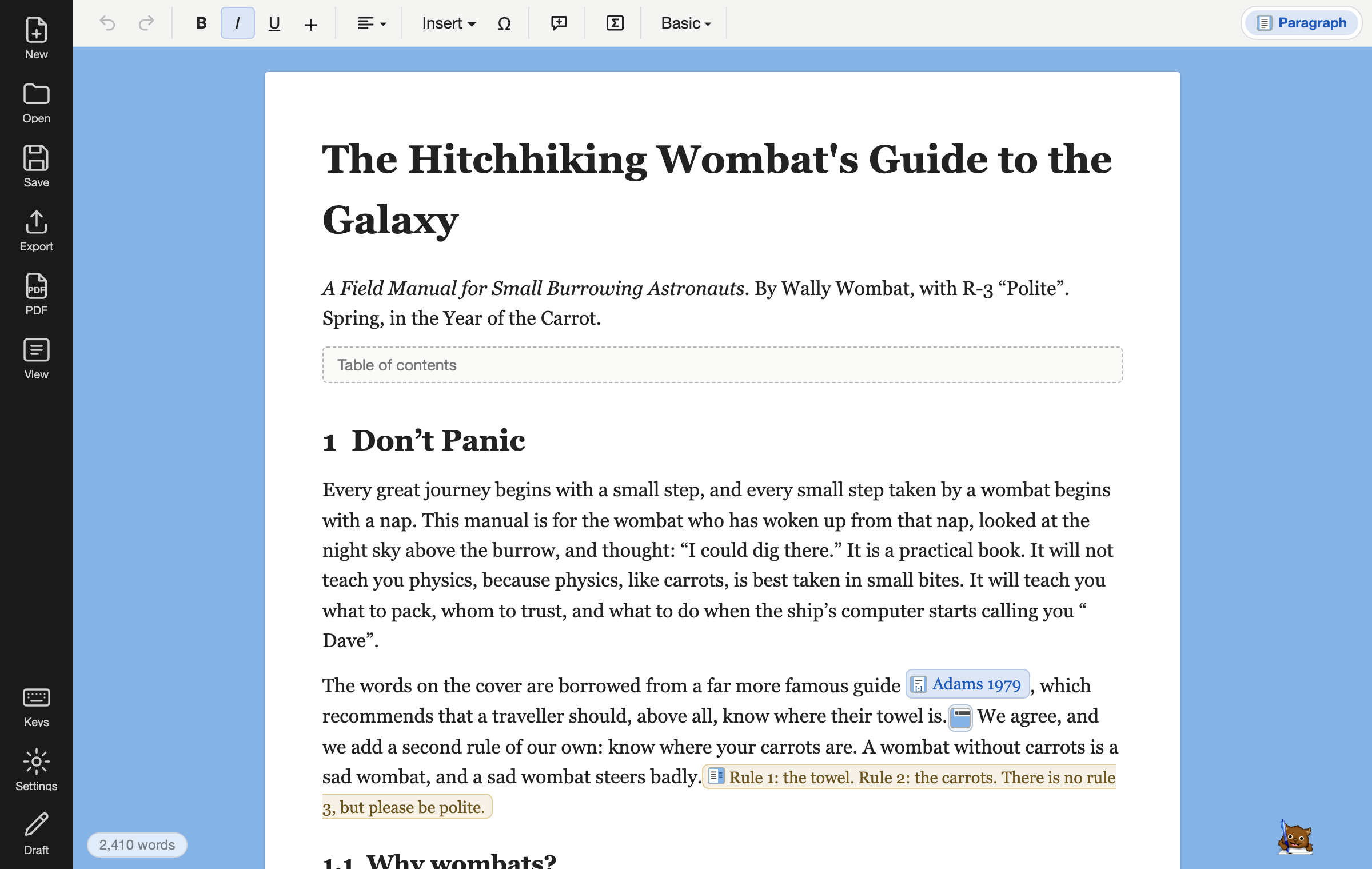
Numbers that count themselves.
The koala’s way
Type “3.” in front of the heading. Move the chapter. Type “2.” in front of it. Find every “see Section 3” and change it. Miss one. Find it in the printed copy.
The wombat’s way
A heading is a heading, and it has no number typed in it: Wombat counts. Drag a section in the Outline and its number, every reference to it and the contents follow. Nothing to find later.
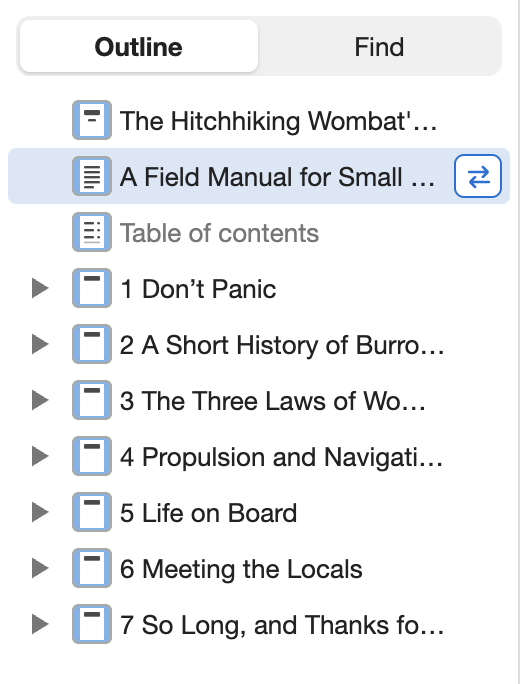
“Error! Reference source not found.”
The koala’s way
Word’s most famous sentence. It appears on page 14, in the copy you already sent, where Figure 4 used to be before you moved it.
The wombat’s way
A reference points to the figure, not to its number. Delete the figure and the reference goes with it, by rule; Wombat never writes a sentence it cannot keep true.
The page is set by a typesetter.
The koala’s way
A picture that jumps to the next page and takes its caption with it. A heading alone at the foot of a page. Spaces between words that could park a car, because “justify” did its best.
The wombat’s way
Wombat writes Typst, a typesetter with the care of LaTeX and none of the waiting: hyphenation, footnotes at the foot, figures where they fit, in a second. You see the page while you write.
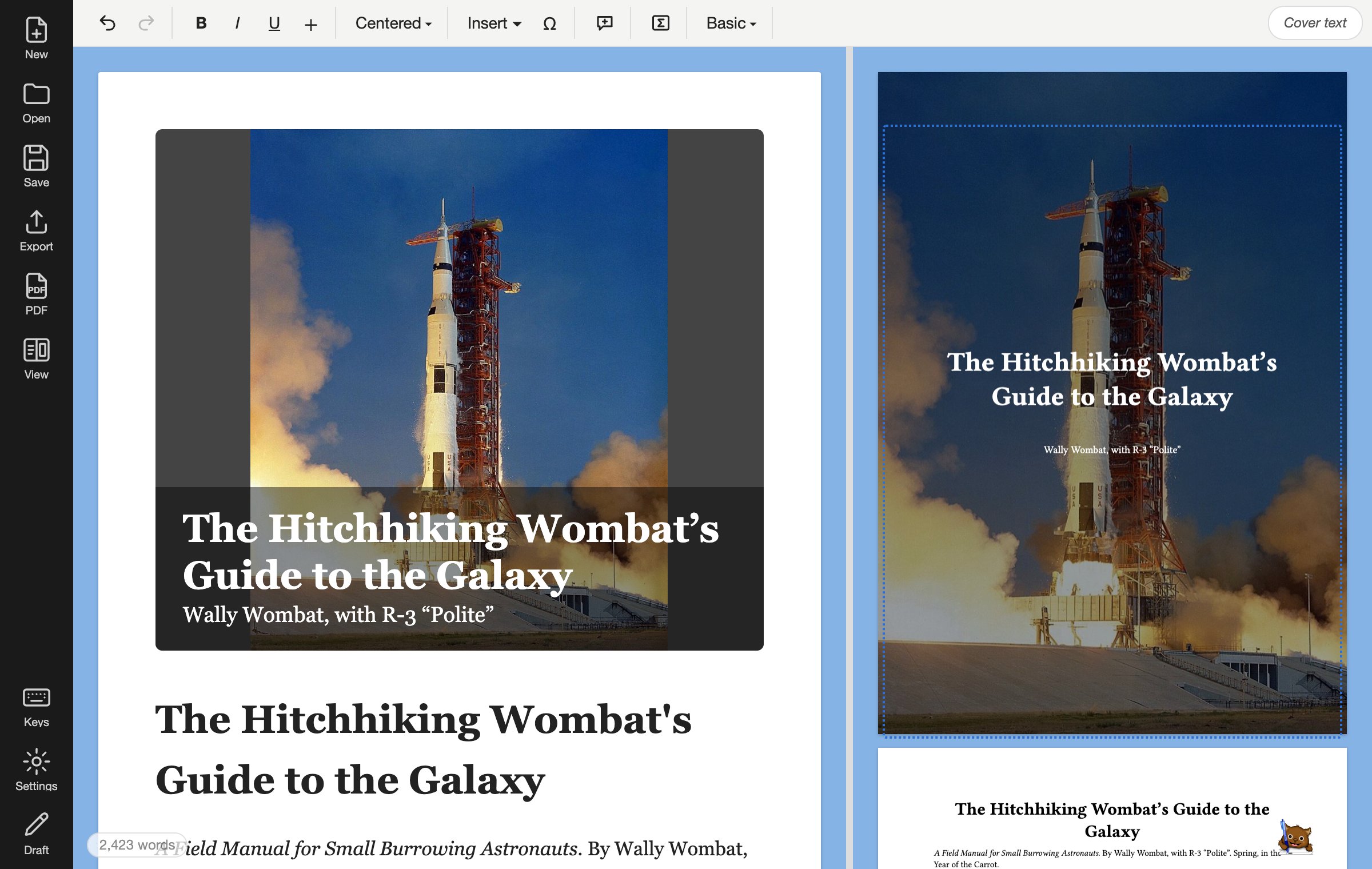
Citations from your own .bib.
The koala’s way
A citation manager, a plug-in for it, a style file someone emailed you in 2019, and the quiet hope that the bibliography comes out in the order the journal wants.
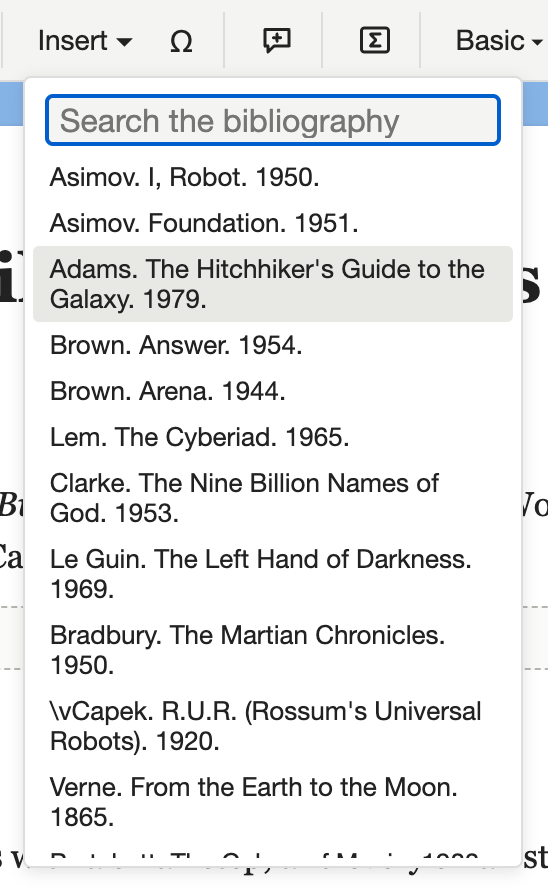
The wombat’s way
Add your bibliography file. Search it from the Insert menu. The citation and the list of references are written for you, in APA, IEEE or the style your template asks for.
Formulas that look like formulas.
The koala’s way
The equation editor: a grid of little boxes, a mouse, and a fraction that is almost the right size. The koala gives up and takes a photo of the whiteboard.
The wombat’s way
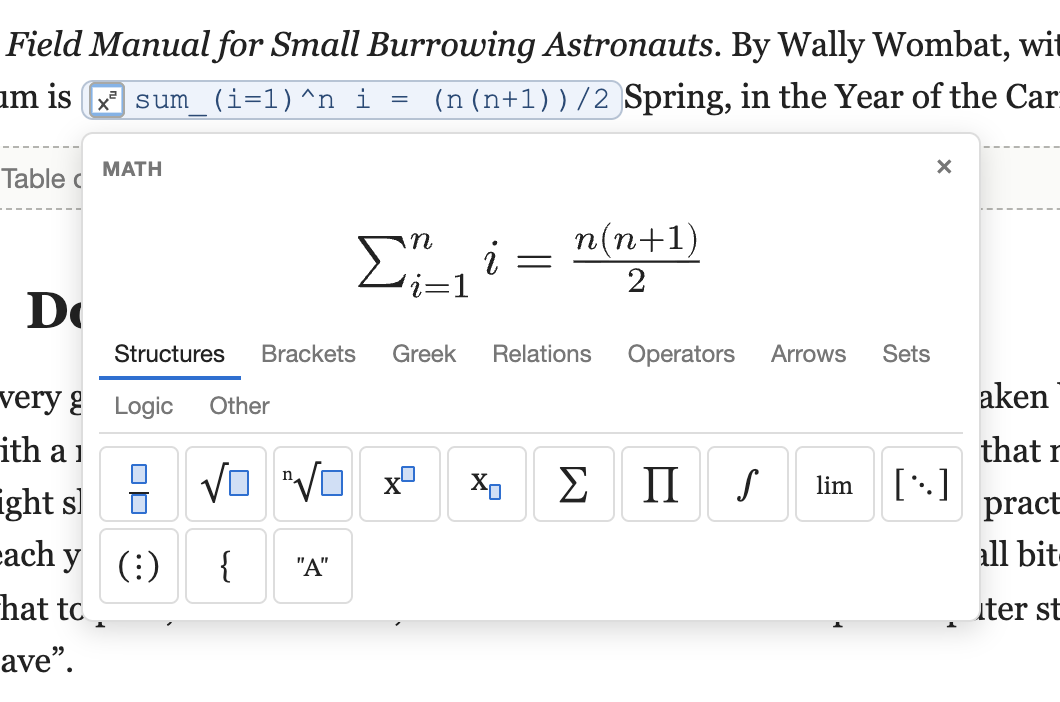
Type the formula as you would say it, sum_(i=1)^n i, and see it drawn as you type. Diagrams and code the same way: from text, so they can be changed.
Notes where they belong.
The koala’s way
A footnote that lands on the next page, a comment balloon that lands in the printed copy, a note in the margin made with a text box and good intentions.
The wombat’s way
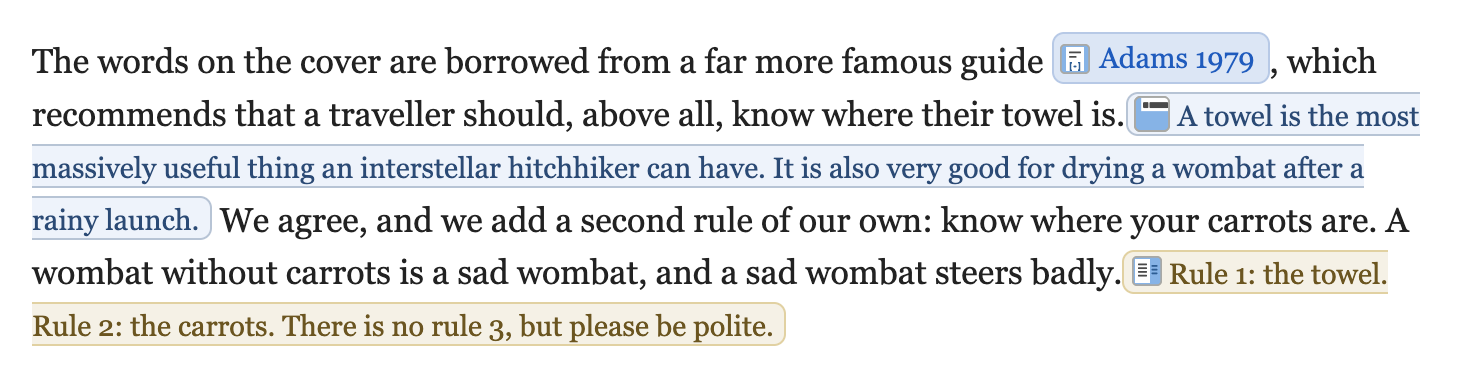
A footnote lives in its sentence and is numbered for you; a margin note stands beside the paragraph it speaks of. On the page, each goes where a typesetter would put it.
A file you can read.
The koala’s way
A .docx is a zip of XML that only Word reads well. Twenty years from now, the koala’s grandchildren will open it and find the fonts gone and the figures sideways.
The wombat’s way
A .wombat file is a zip with your document in plain HTML and its pictures. Unzip it and read it in any browser, with no Wombat at all. And when the koala asks for a .docx, Export gives it a clean one. Wombat opens Word files too.
Wombat is the better tool for
Theses, reports, manuals, papers with references, books, letters you send every month: anything with a shape.
Word is still the better tool for
Tracked changes with a team that lives in Word, and free-form flyers where every box goes anywhere. Even koalas get some things right.
This is a joke. I love koalas.
Koalas are gentle, they are endangered in much of Australia, and they have never once sent anyone an “Error! Reference source not found.” They lose their trees to fires, roads and chainsaws, and they cannot write a report about it. Someone should.
If this page made you smile, send a little of that to the Australian Koala Foundation, which plants their trees and keeps them where they belong. Then come back and write your thesis.
Nothing to install, no account, and your document stays on your computer. Or download the app, free as well.